
How to Create Simulated Interview
How to Create a Simulated Interview
A Simulated Interview is generated directly from an Interview Template. The platform uses the questions in your template to run an AI-driven interview that mirrors a real customer discovery conversation.
You can create a simulated interview in two simple ways.
Option 1: Create a Simulated Interview from the Home Page
- Go to the Home page.
- In Step 2: Create Your Interview Template, locate the interview template you want to use.
- Click on the template name.
- A popup will open showing the interview template details.

- Click Generate.
Once you click Generate, the platform will begin creating the simulated interview. You’ll see a message indicating that the interview is being generated, and you can safely continue working while it runs.
Option 2: Create a Simulated Interview from the Interview Templates Page
- Navigate to Interview Templates from the left-hand menu.
- Find the template you want to use.
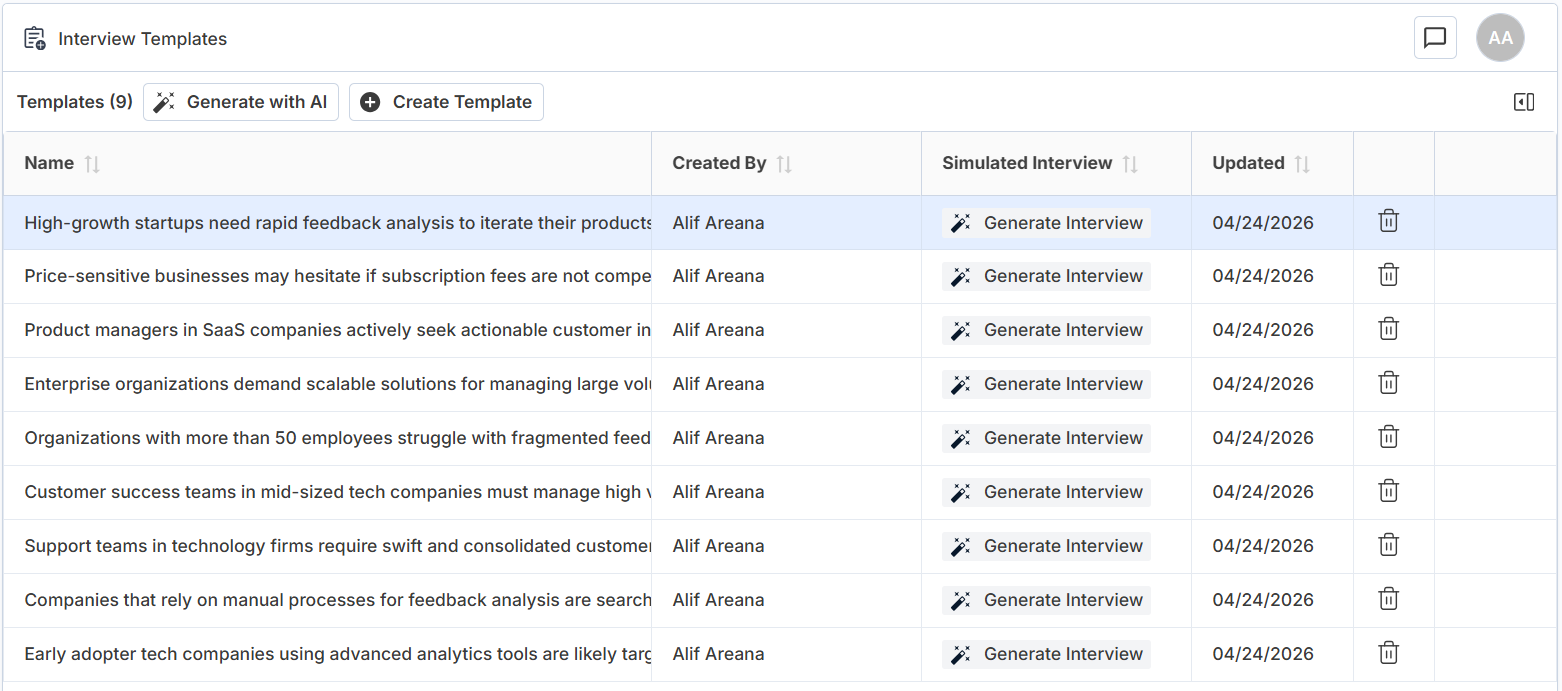
- Click Generate Interview in the Simulated Interview column.
This triggers the same interview generation process as the Home page.
What Happens After You Click “Generate”
After generation begins, you’ll see a confirmation message letting you know the process is in progress. This usually takes 10-15minutes.

When the simulated interview is ready, it is saved just like a real interview and includes:
- A conversational audio recording that you can listen to
- A full transcript of the conversation
- AI-generated analysis, including:
- Executive summary
- Explicit insights
- Implicit insights
- Meta analysis
- Insights automatically linked to your Canvas hypotheses
The simulated interview appears in your Interviews list and can be reviewed, analyzed, and referenced just like a recorded interview.
Can I Listen to a Simulated Interview?
Yes.
Simulated interviews include audio, just like recorded interviews.
You can:
- Play the conversation
- Follow along with the transcript
- Analyze it using the same workflow as real interviews
Why This Matters
Simulated interviews allow you to:
- Practice customer discovery without needing a live participant
- Test and refine interview questions
- Learn how insights connect to hypotheses
- Build confidence before running real interviews
They are especially useful for learning, teaching, and early-stage exploration, but they are not a replacement for real customer conversations.
Related Articles: Simulated Interview